
Overview
GramCity is a mobile photo-editing app designed to make it simple for people to enhance their photos before posting them on Instagram or other social platforms.
Timeline
5 Days

Day 1: Mapping
Understanding the User
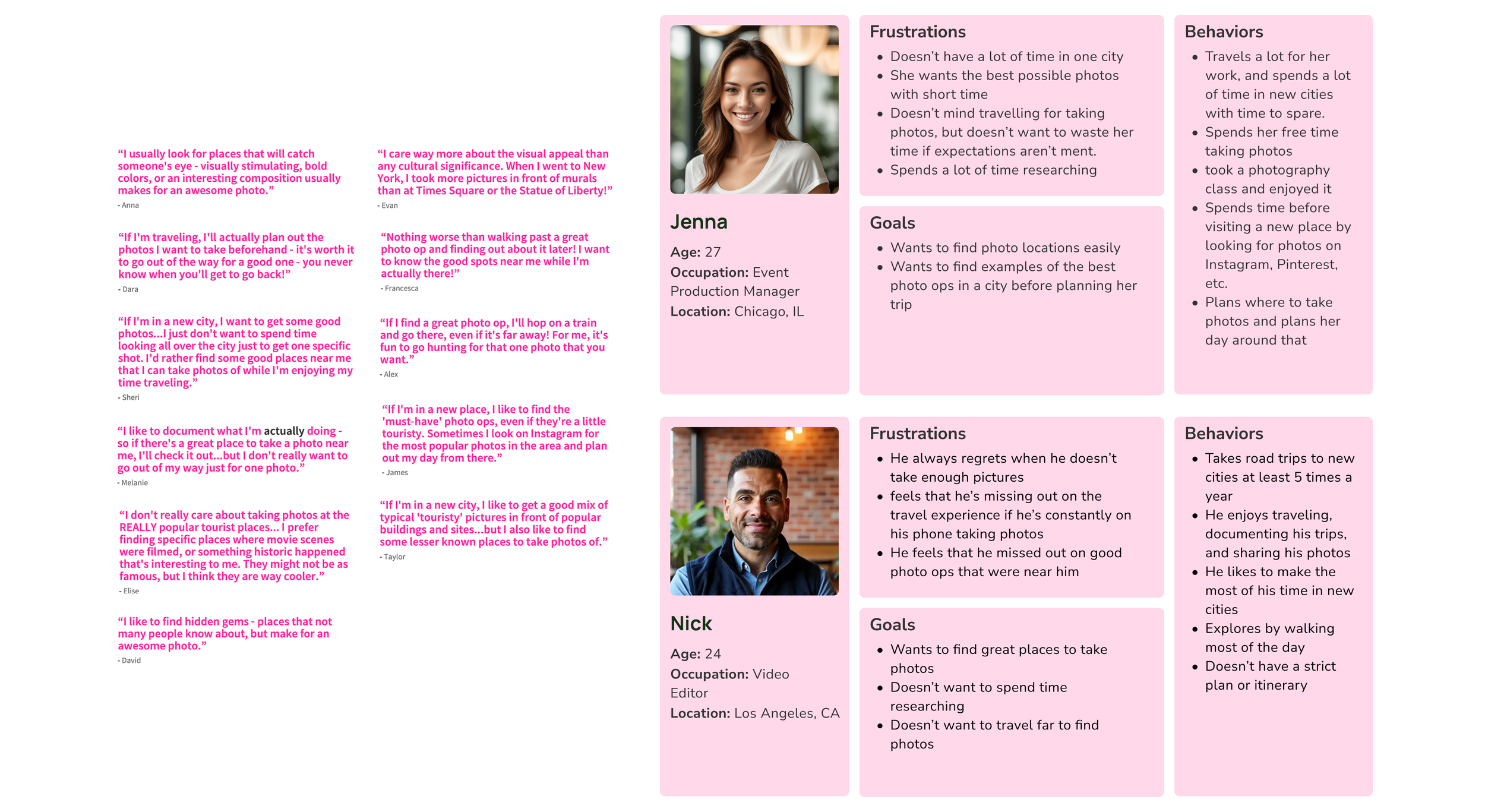
The client handed over qualitative data and created two personas. This provided clear guidance who we are designing for.
Affinity Mapping
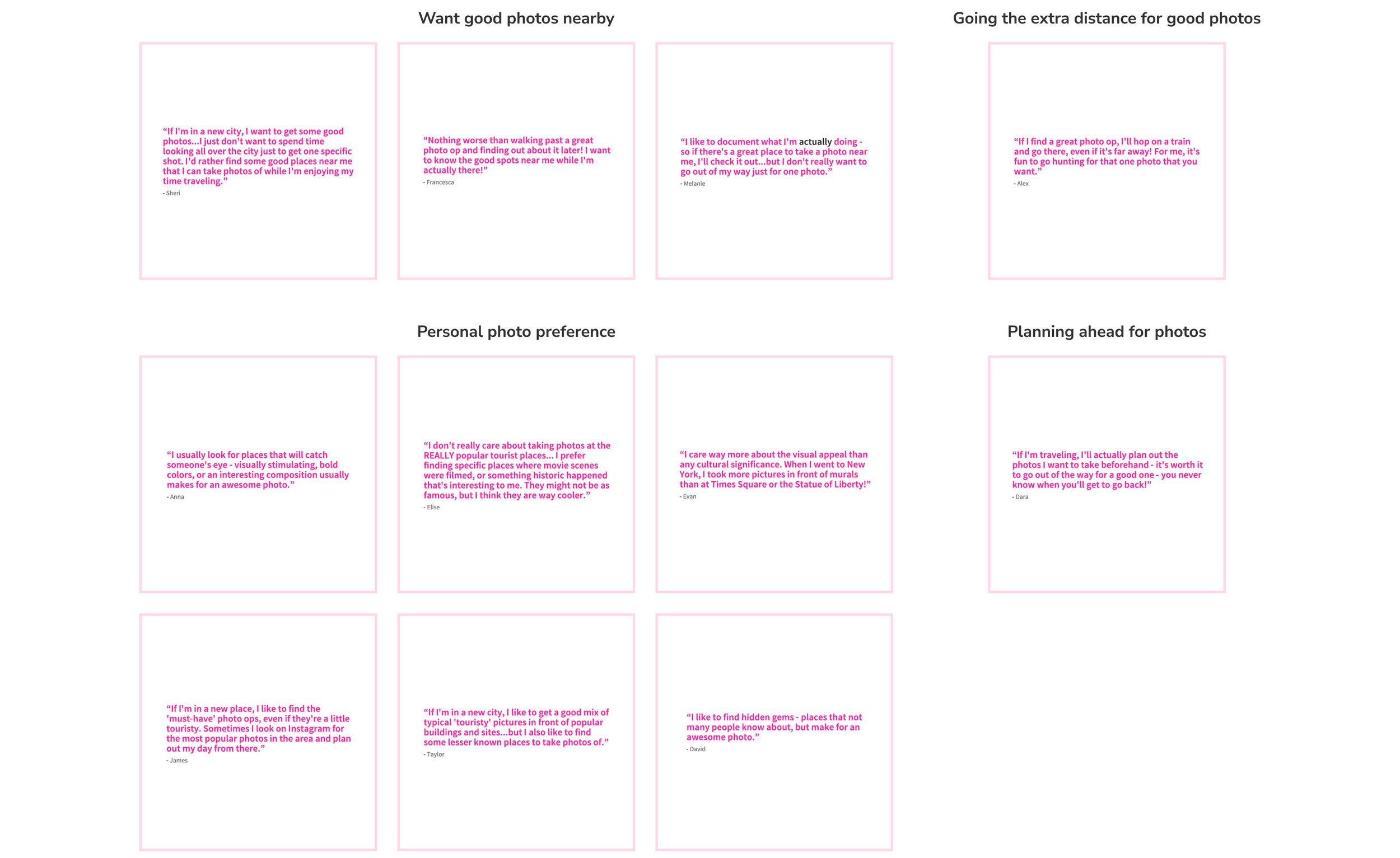
The client handed over qualitative data and created two personas. This provided clear guidance who we are designing for. We organized the qualitative in four sections:
Want good photos nearby
Going the extra distance for good photos
Personal photo preference
Planning ahead for photos
How might we?
With all the research we have done, we are able to ask...
How might we help users quickly find photo-worthy spots nearby without spending a lot of time researching?
How might we let users share photos along with their locations to inspire others?
Day 2: Sketching
Crazy 8 sketches
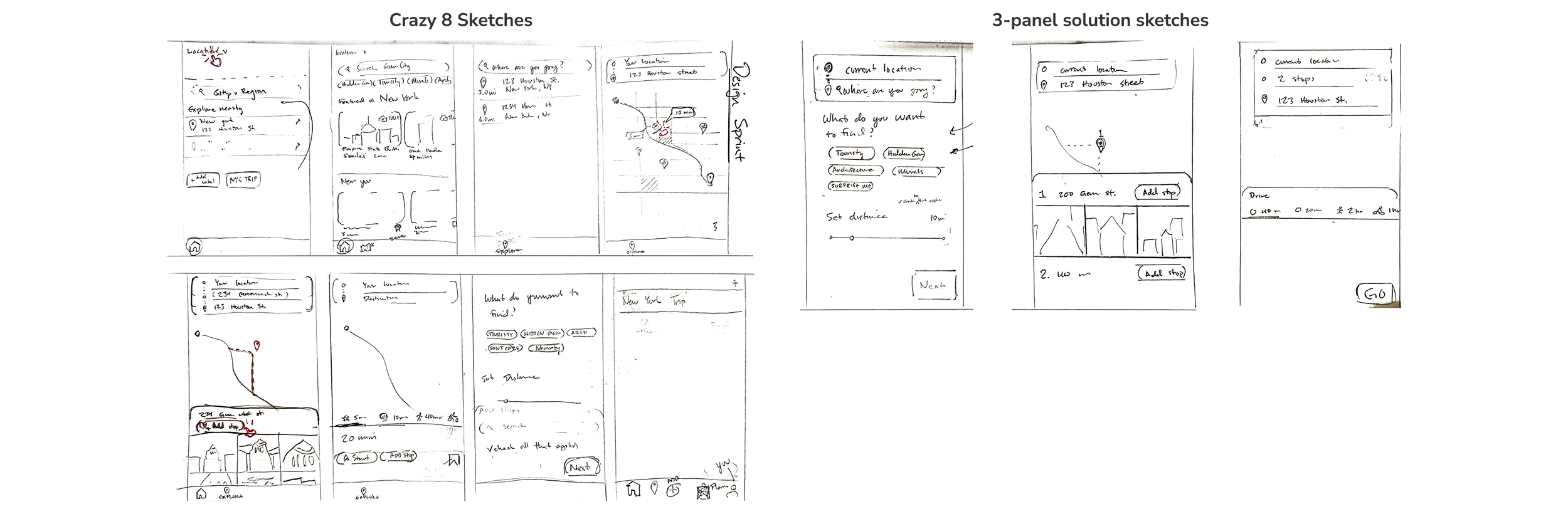
We used our insights to shape user flows and wireframes. Through the Crazy 8’s sketching exercise, we generated ideas and focused on a key screen to develop a three-panel solution sketch.
Day 3: Deciding
Design Strategy
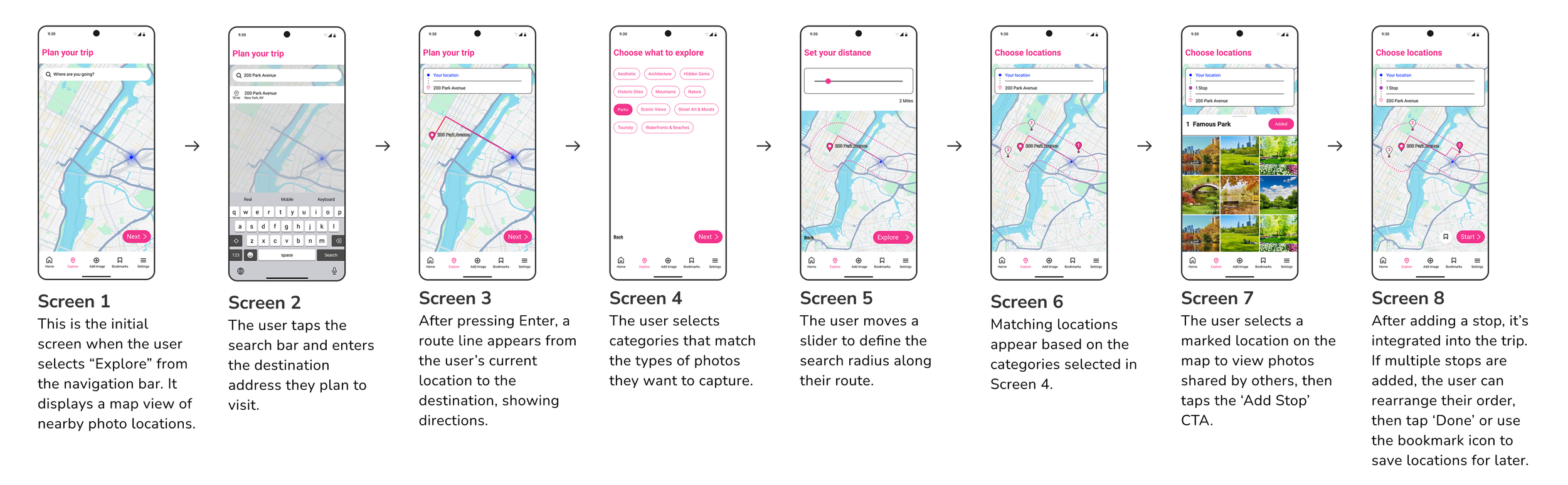
We gathered all our sketches from day two and began to pick and choose the screens we need. Once we finalized our choices, we created a wireframe that will be used as reference for prototyping.

Day 4: Prototyping
Design Strategy
We gathered all our sketches from day two and began to pick and choose the screens we need. Once we finalized our choices, we created a wireframe that will be used as reference for prototyping.
Day 5: Testing
Validating design & flow
We conducted usability testing with five users who followed a structured test script and completed key tasks within the app, allowing us to identify areas for improvement in both user flow and visual design.
Iteration 1:
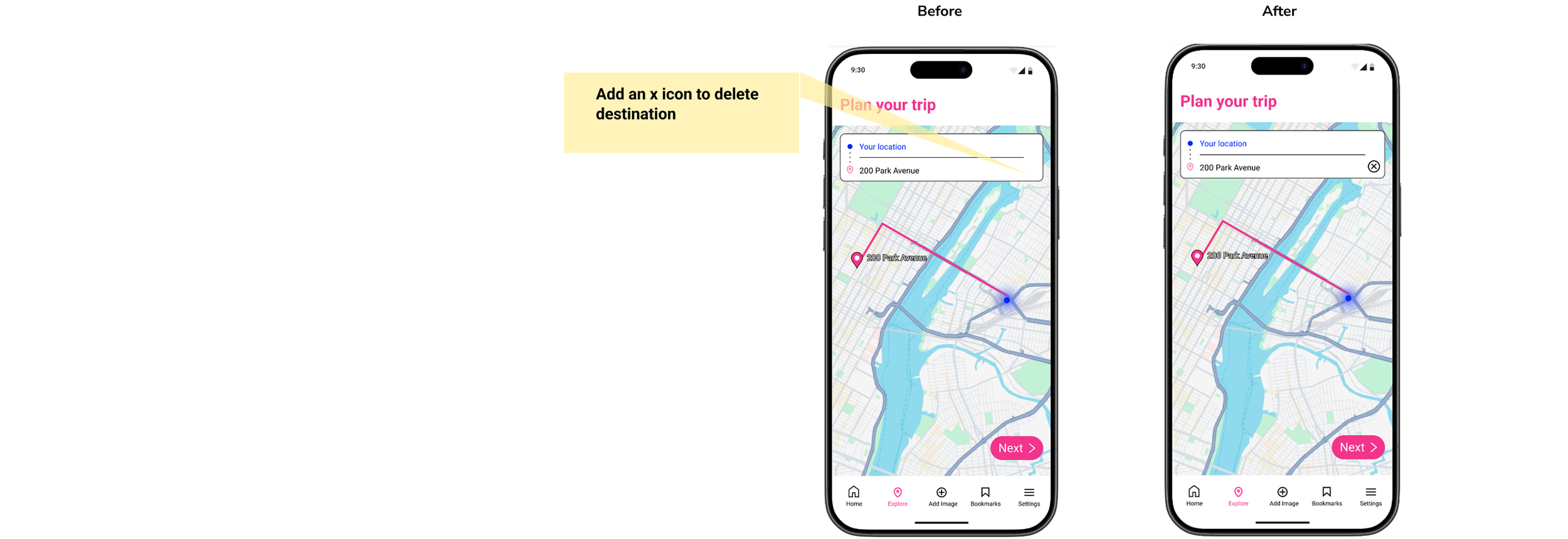
A CTA to delete address entry was added.
Iteration 2:
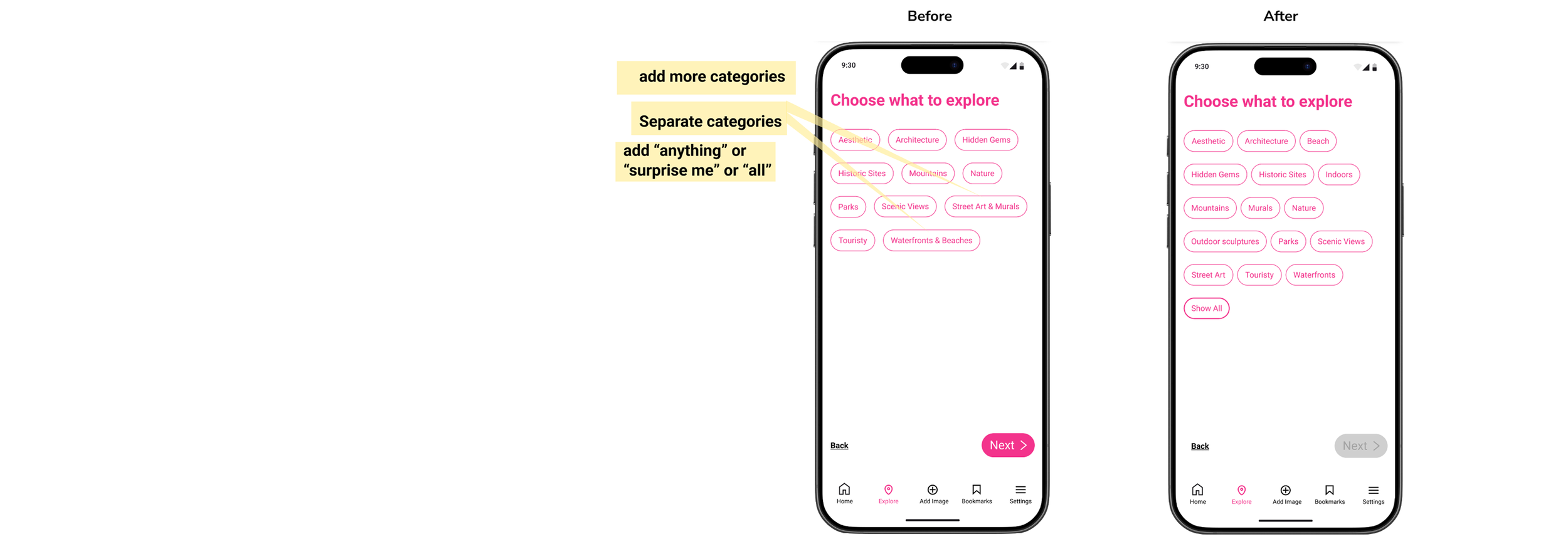
We added more categories for users to select from to help refine their search.
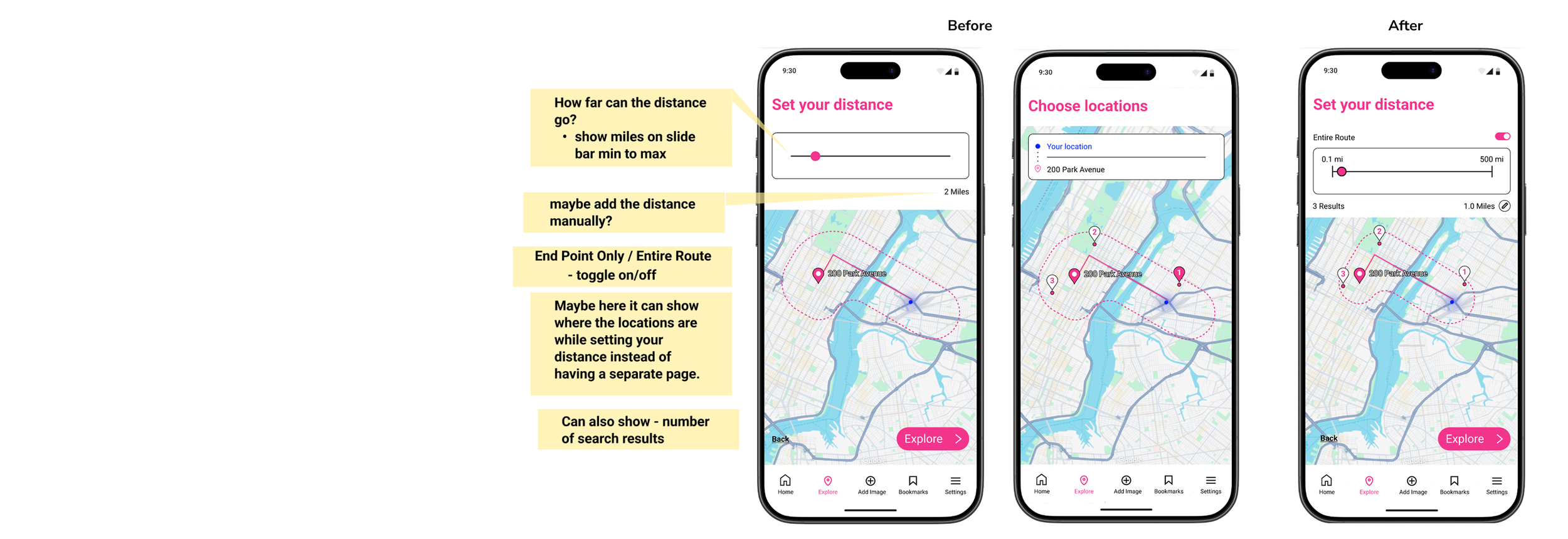
Iteration 3:
We updated the setting distance screen for users to have full control of their route.
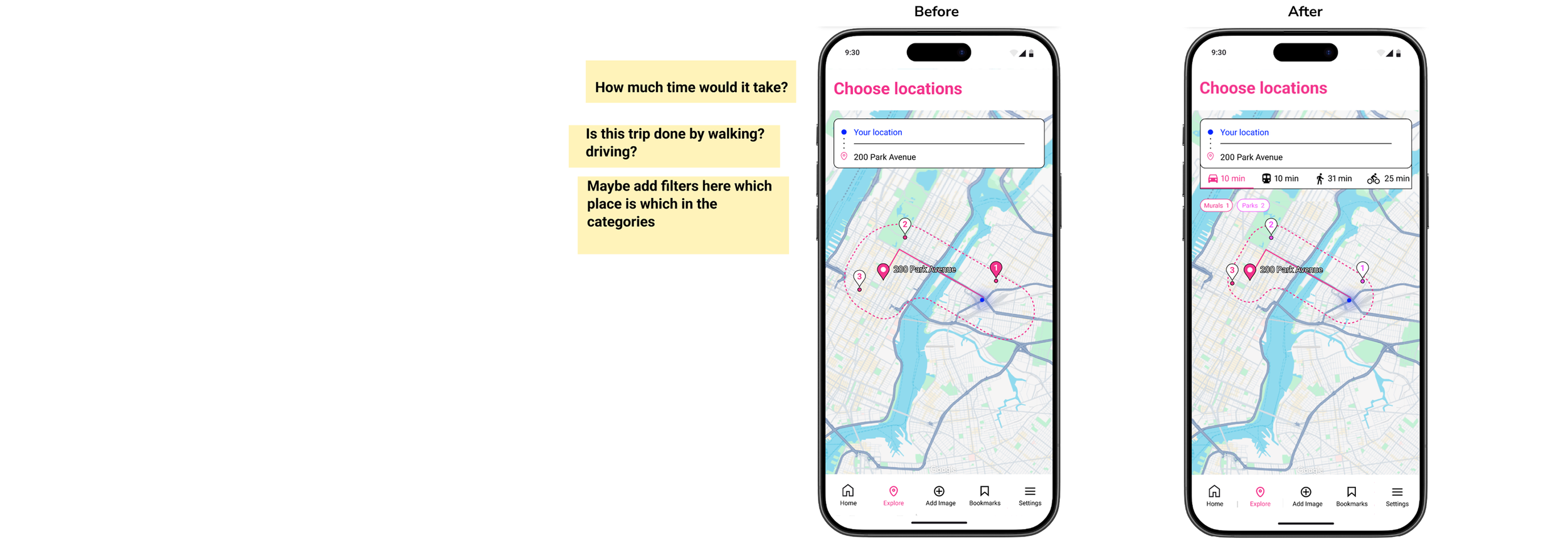
Iteration 4:
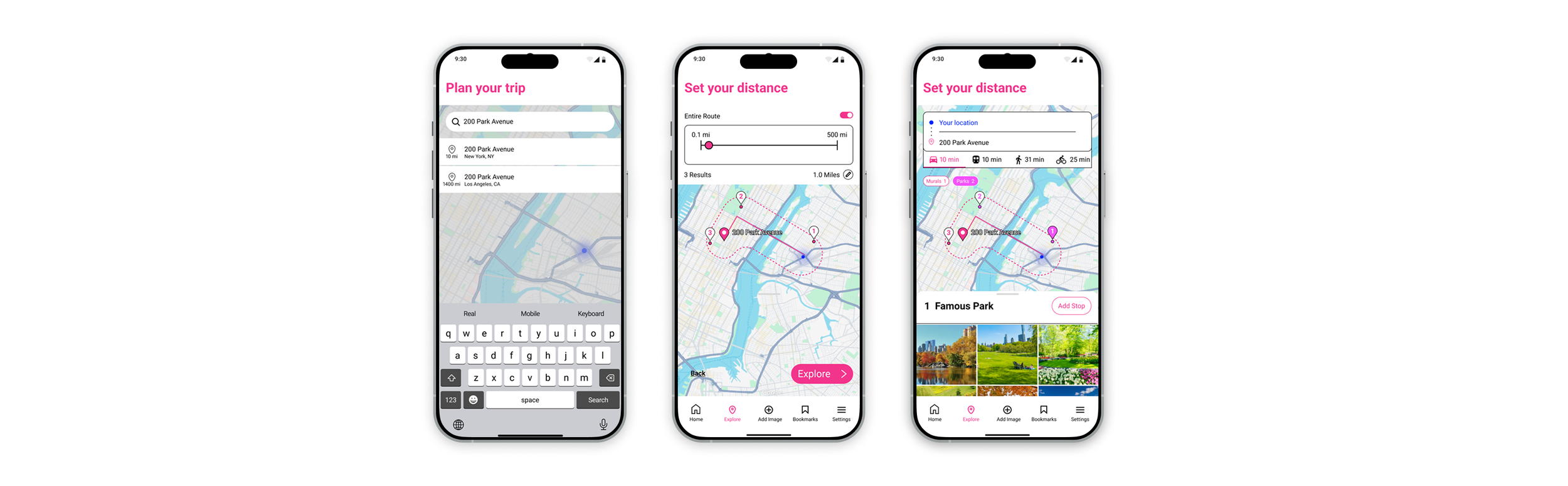
Users can see different options for transportation and the time it takes for each to reach the destination.
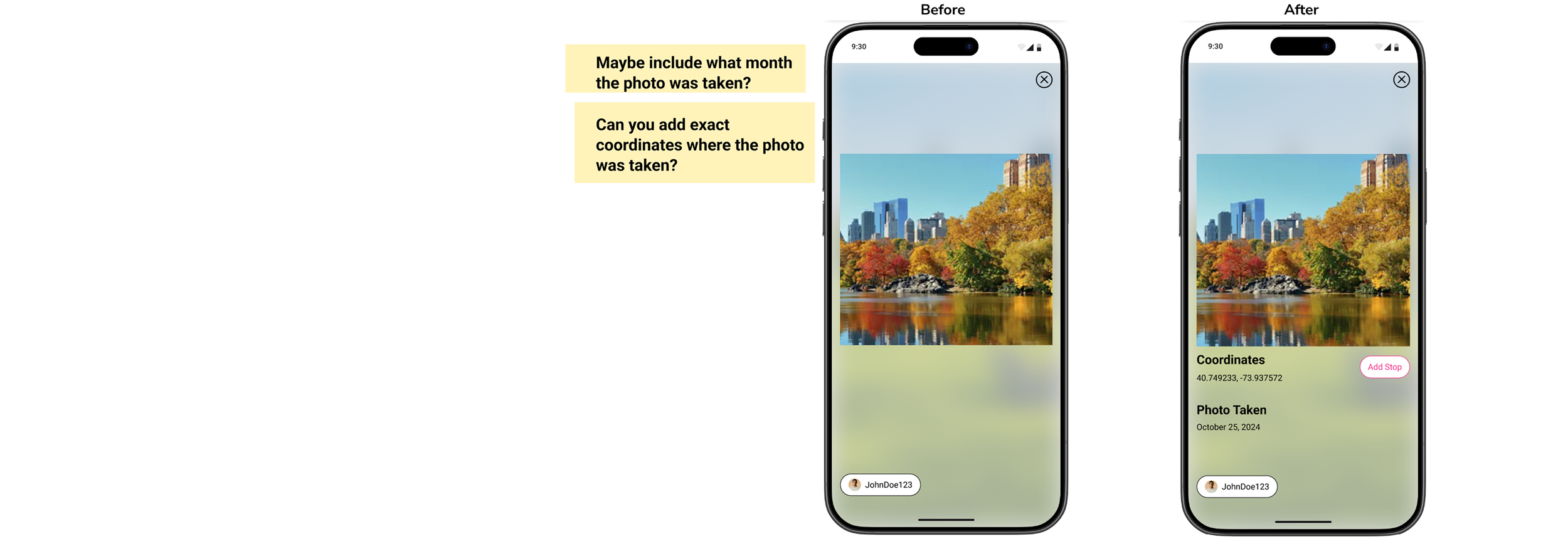
Iteration 5:
Users can now see the date and coordinates of the photo taken. This info will be helpful for users to visit the same spot in that photo.
Final Prototype
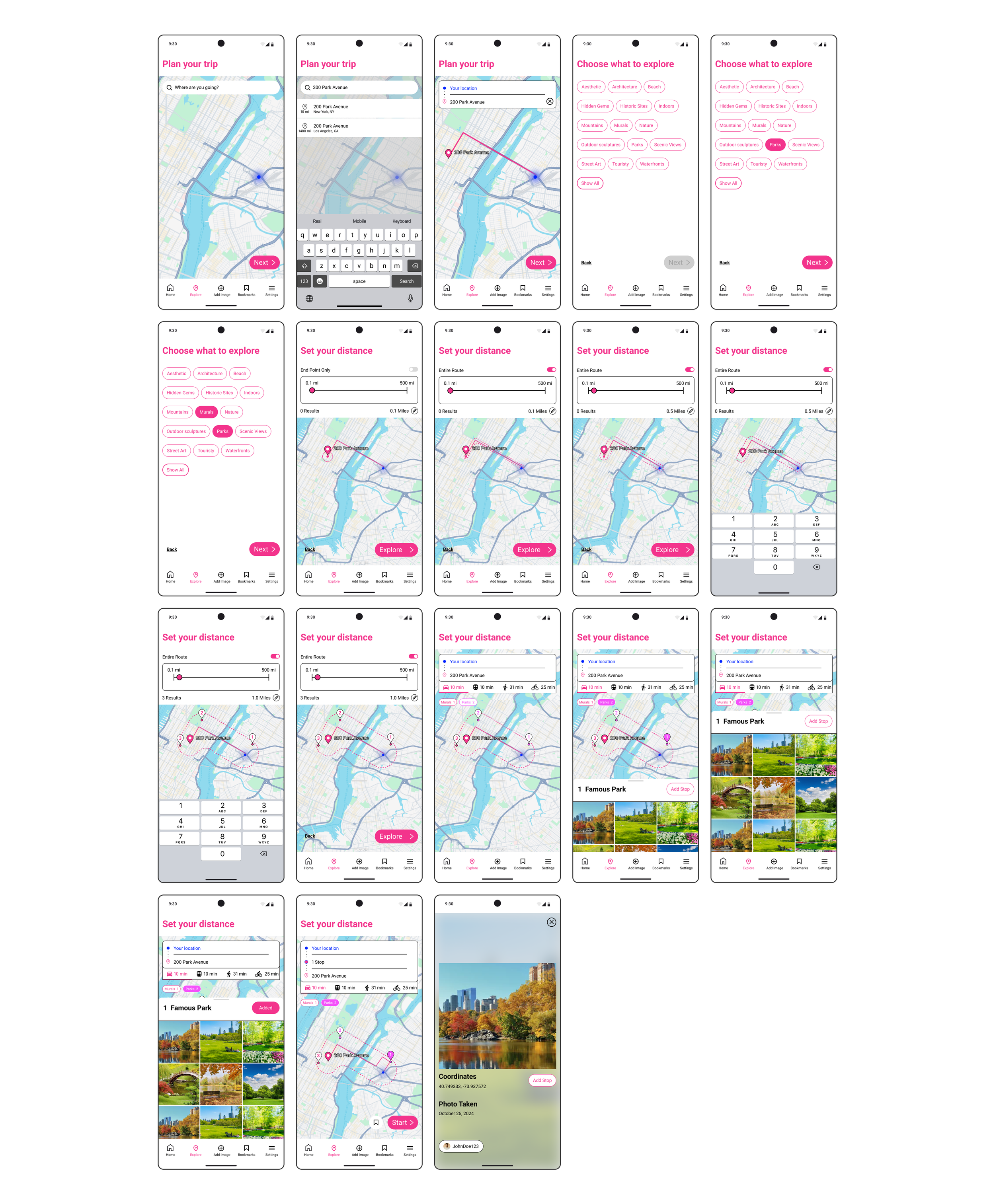
Key Takeaway
A key takeaway from this design sprint was learning how to effectively adapt to tight time constraints while still conducting meaningful research. We developed the ability to quickly identify and apply research methods that are both time-efficient and insight-driven, ensuring that the process remained user-centered. This balance allowed for the creation of a valuable and functional product, even within a compressed timeline.