
The Context
Users received a physical stamp card from a business and need to have it stamped after making a purchase.
The Problem
Stamp cards are often lost, forgotten, or inconvenient to carry, making it difficult for customers to track their rewards and for businesses to maintain customer loyalty.
The Goal
combine all the stamp cards in a single app to help users stay organized, and help businesses retain their customers.
Discovery
User Interviews
Understanding user behavior is essential, so we created a list of interview questions to uncover how users interact and make decisions around physical stamp cards. Key questions included:
Do you remember to bring your stamp card?
Where do you usually keep/store your stamp card?
Can you describe any problems that you have with the card?
What do you do if you forgot your card?
In an ideal world, how would you wish/prefer things could go with a stamp card?
What are some ways to help you remember how many stamps you received?
What goes on in your head when the owner hands you a new stamp card?

Key Findings

How might we?
Make stamp cards easier to track and manage—keeping customers informed, engaged, and simplifying loyalty for both users and businesses?
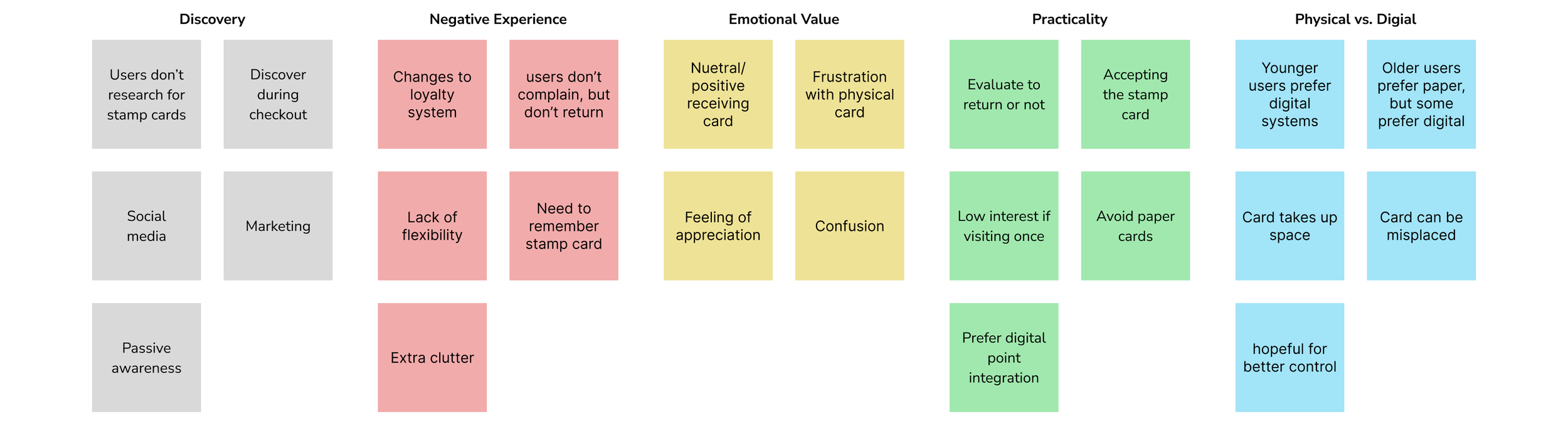
Thematic Analysis
From the qualitative data we obtained after interviewing 10 participants, we identified common user behaviors, motivations, and frustrations around physical stamp cards and even current digital stamp cards. We applied open coding, tagging each meaningful comment grouped in broader themes.
Personas
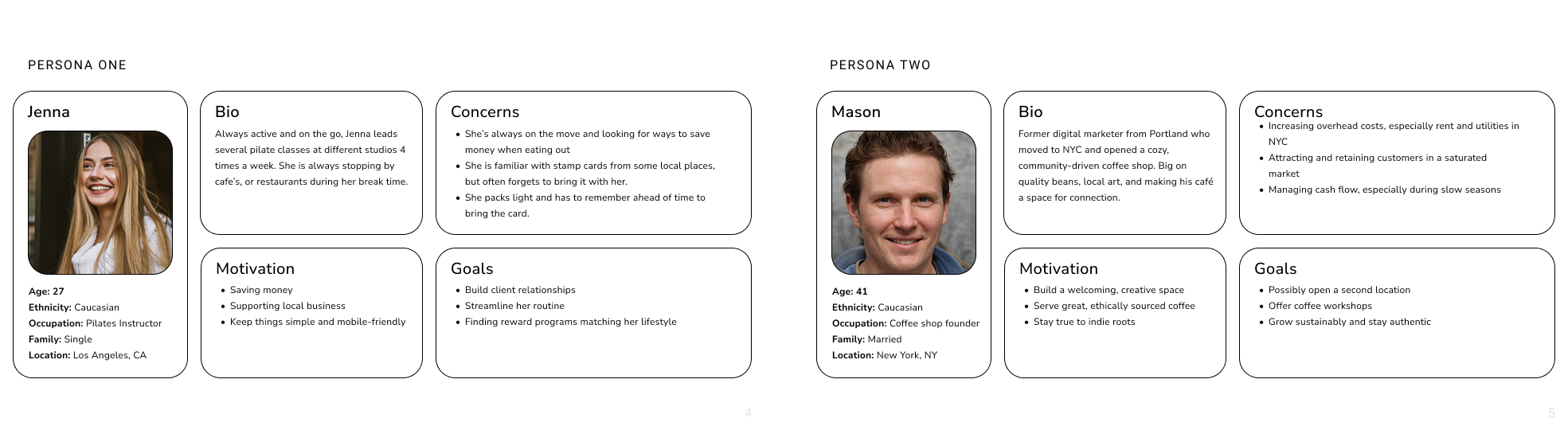
From the qualitative data we obtained after interviewing 10 participants, we identified common user behaviors, motivations, and frustrations around physical stamp cards and even current digital stamp cards. We applied open coding, tagging each meaningful comment grouped in broader themes.
Conceptualize
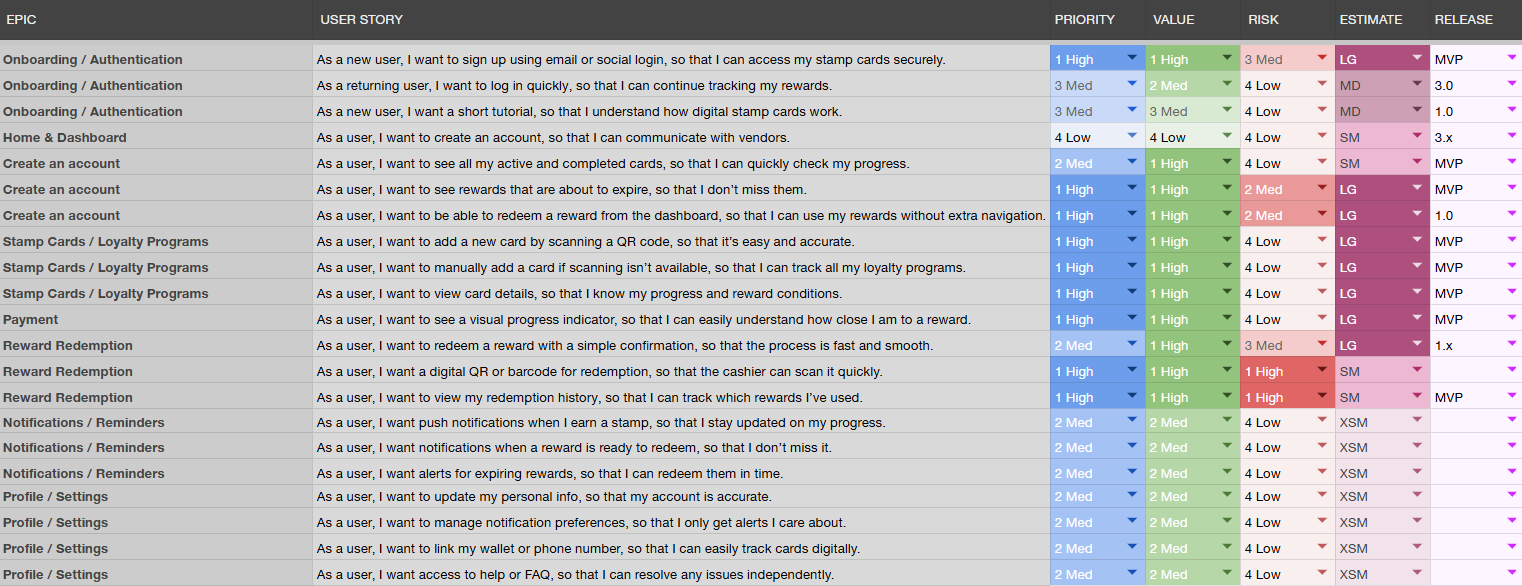
User Stories
Creating user stories helped translate the insights from our thematic analysis into actionable features. we captured real user behaviors and frustrations, like forgetting their physical cards and wanting digital tracking.
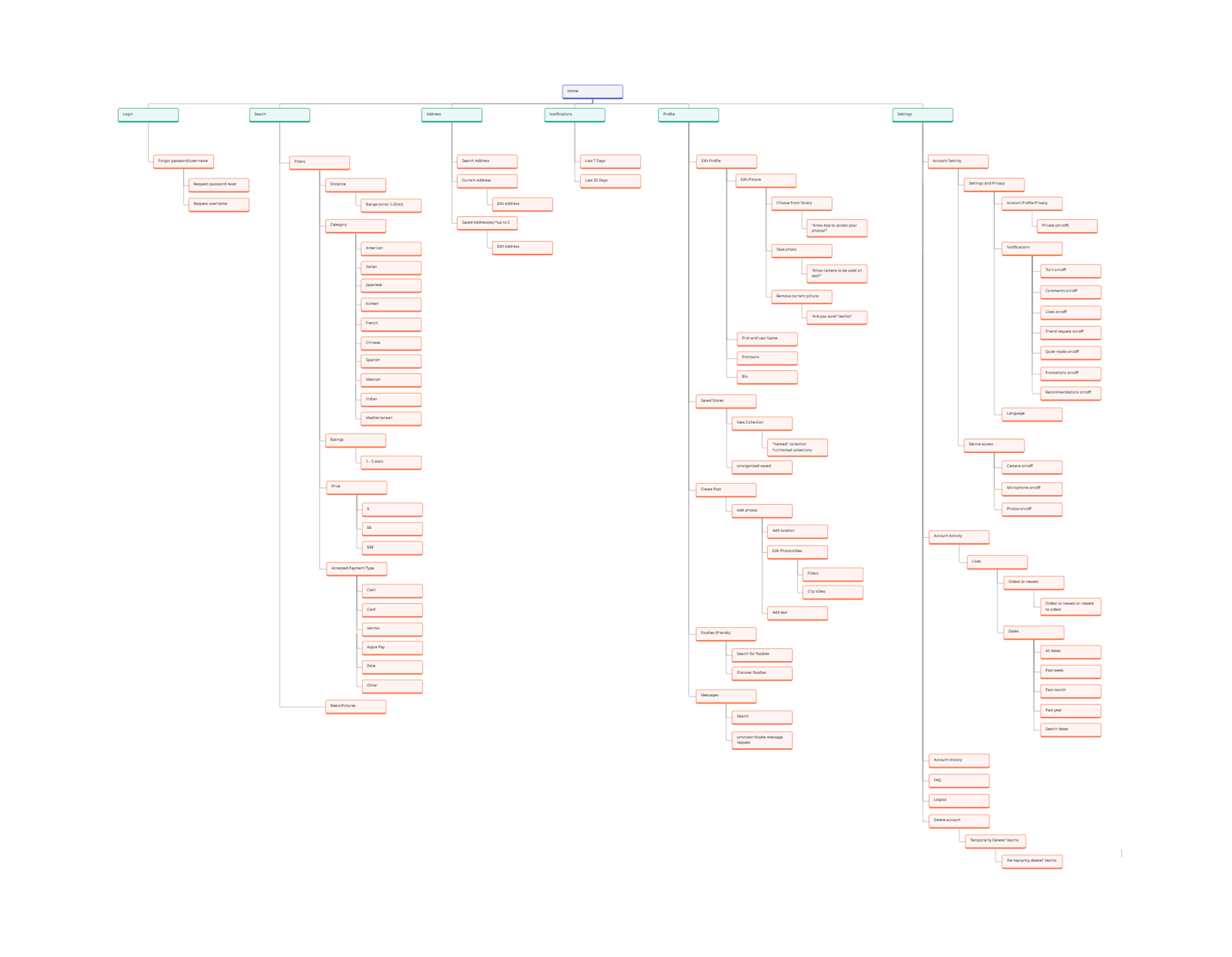
Information Architecture
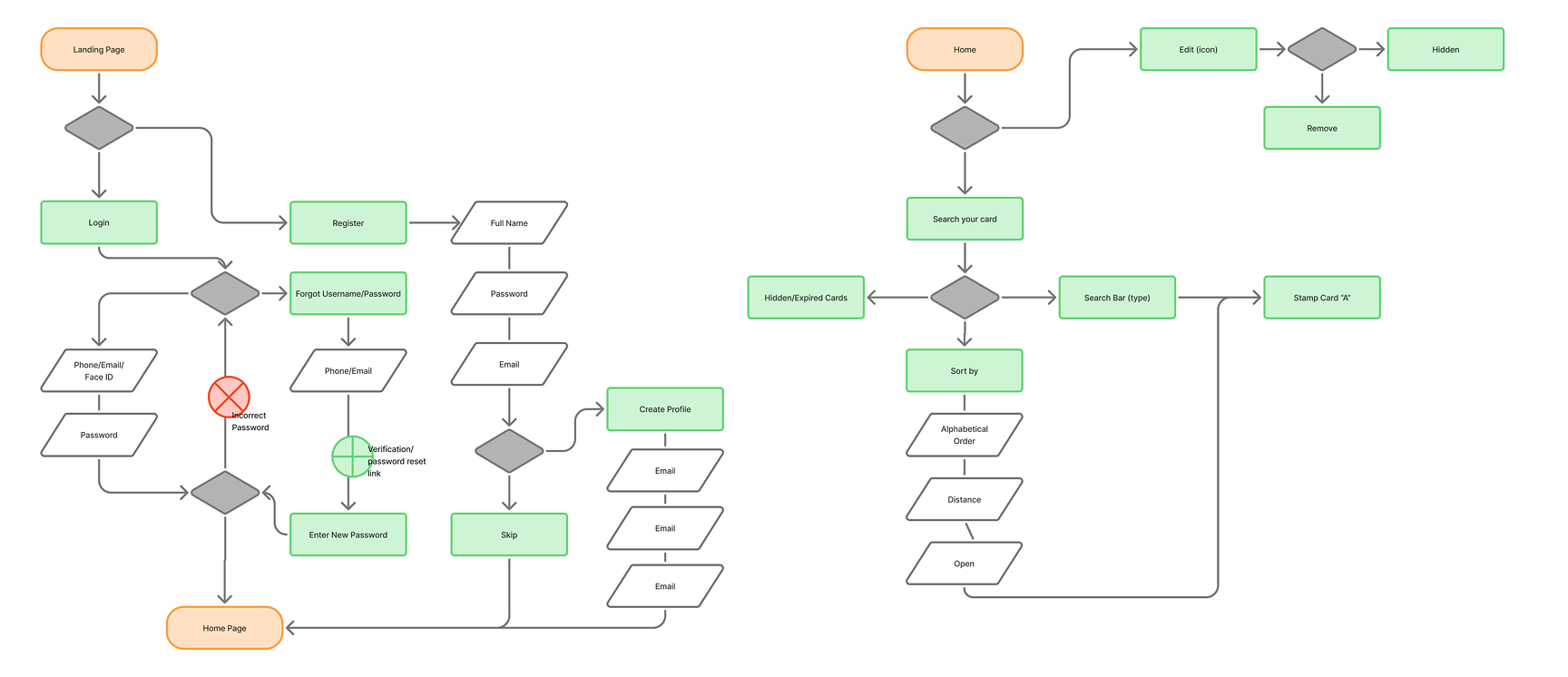
With all the research we have done, we were able to create a full site map for app development.
User Flow
Using our site map and personas, we developed user flows to validate the experience and ensure the navigation made sense before moving into sketching.
Sketching
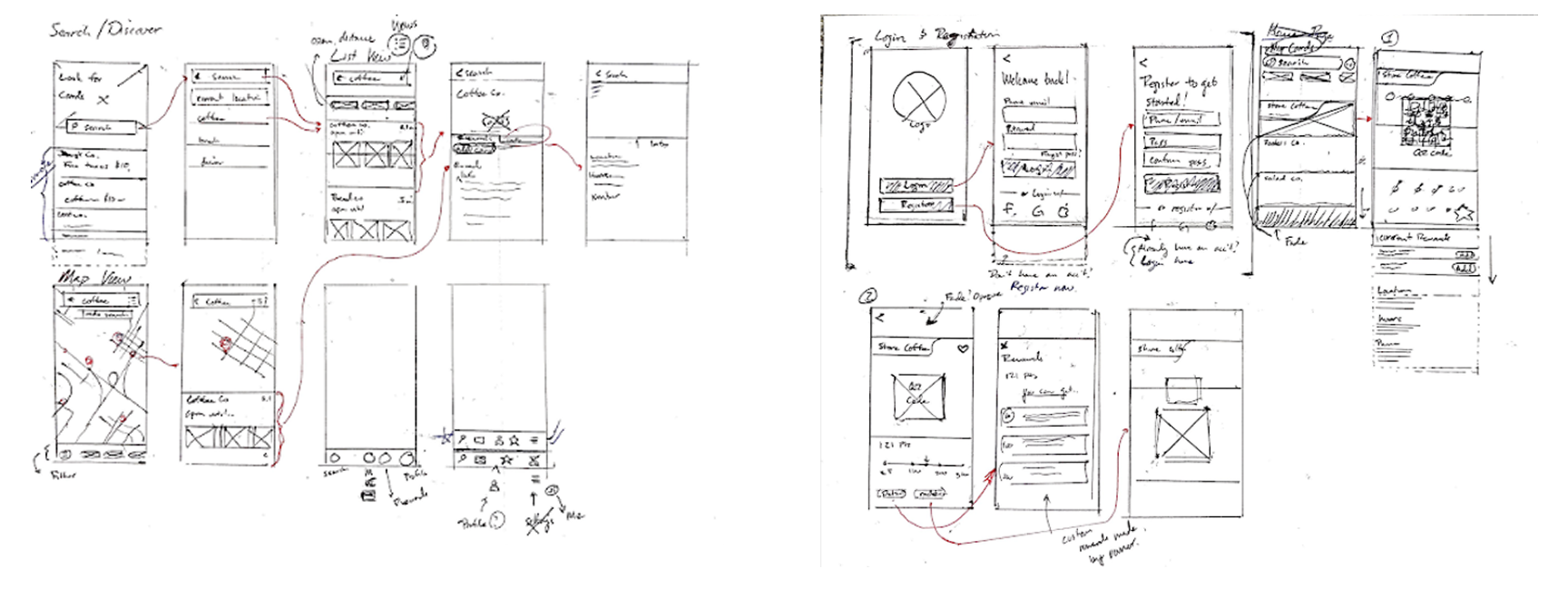
We began sketching the MVP screens defined by our user stories, focusing on the red routes—the most critical and frequently used flows by our users.
Design
Low Fidelity Prototype
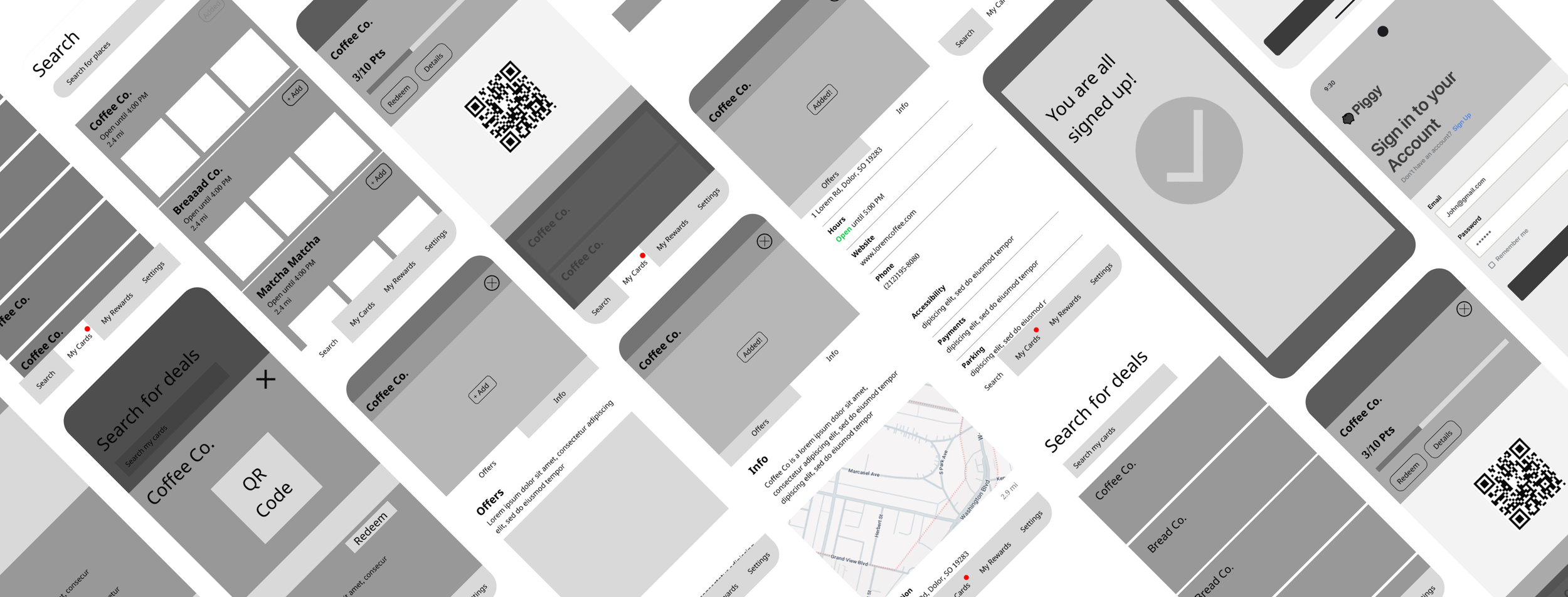
We functioning low fidelity prototype in order to gain as much valuable feed back from testing.
Guerilla Testing
We went to a local coffee shop and asked 5 random participants if they would like to test our prototype.
High Fidelity - Final Design Solutions
After gaining insights from our guerilla testing, we we able to complete our high fidelity prototype.
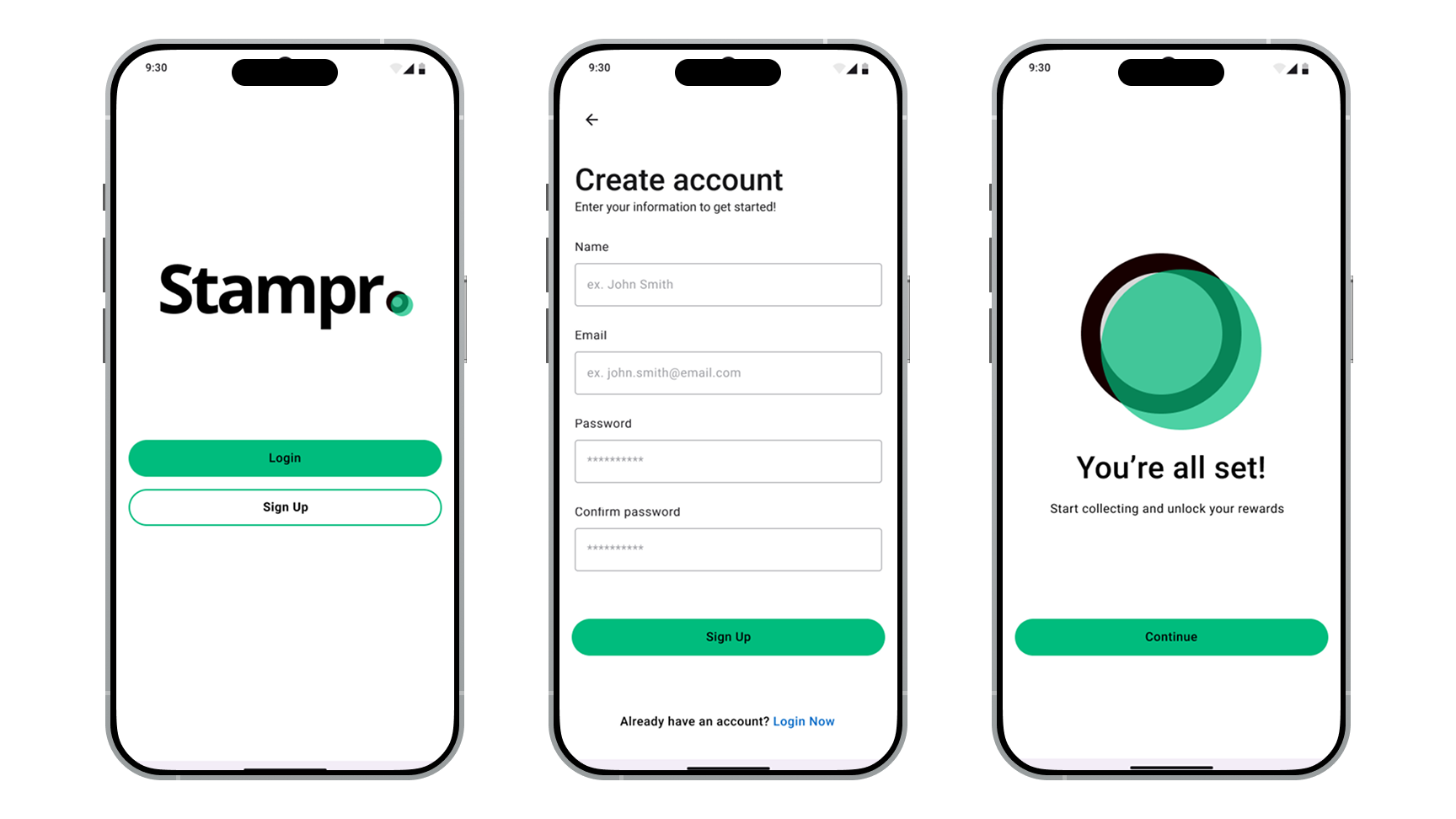
Log in Screens
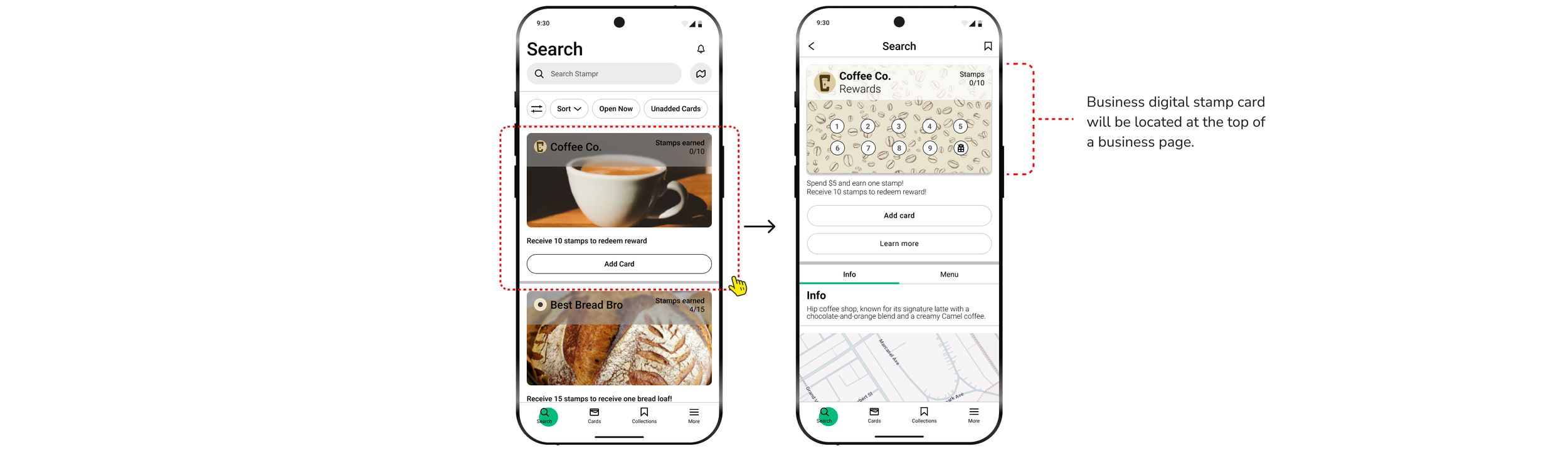
Discovery - User Side
Users can discover businesses in the search section. When clicking a store to view more details, the user will see their digital stamp card at the top.
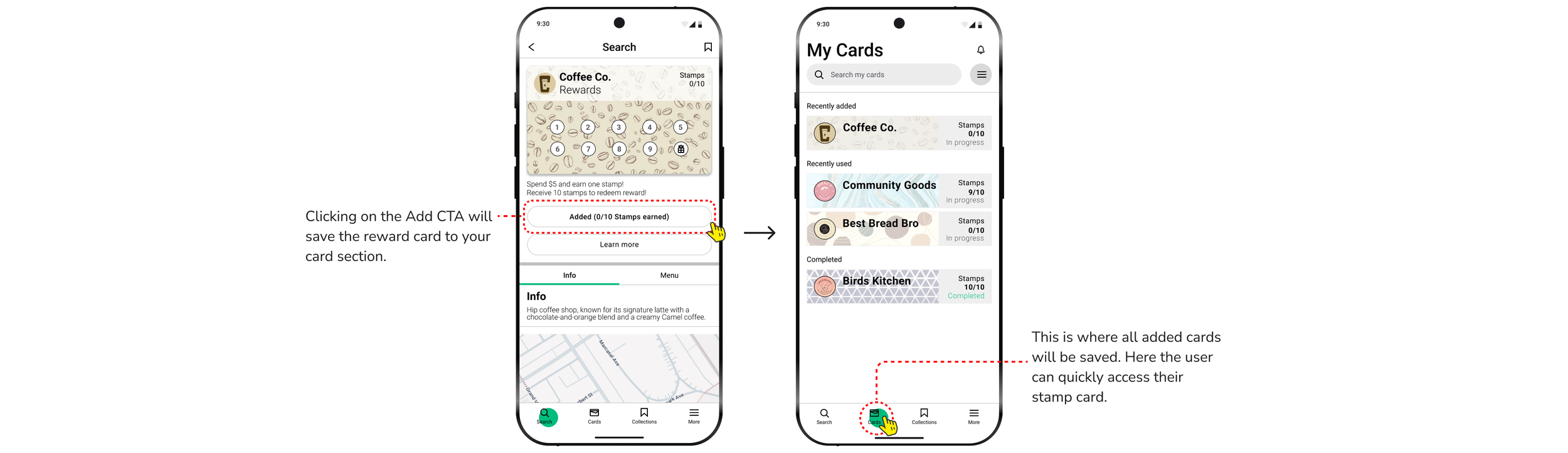
Saving Digital Stamp Card - User Side
When on a business page, user can select “Add Card” CTA. This will automatically store cards in one place
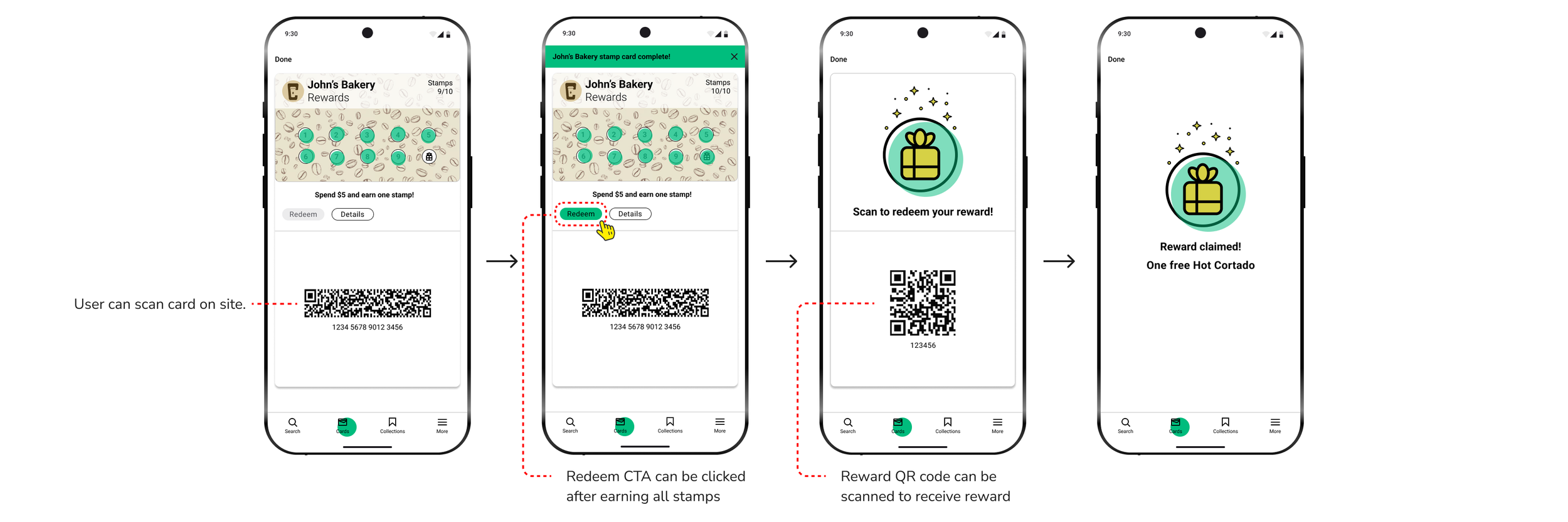
Redeeming Reward - User Side
When users complete all required stamps to earn a reward, the “redeem” CTA will be clickable and will provide a user with a unique reward QR code.
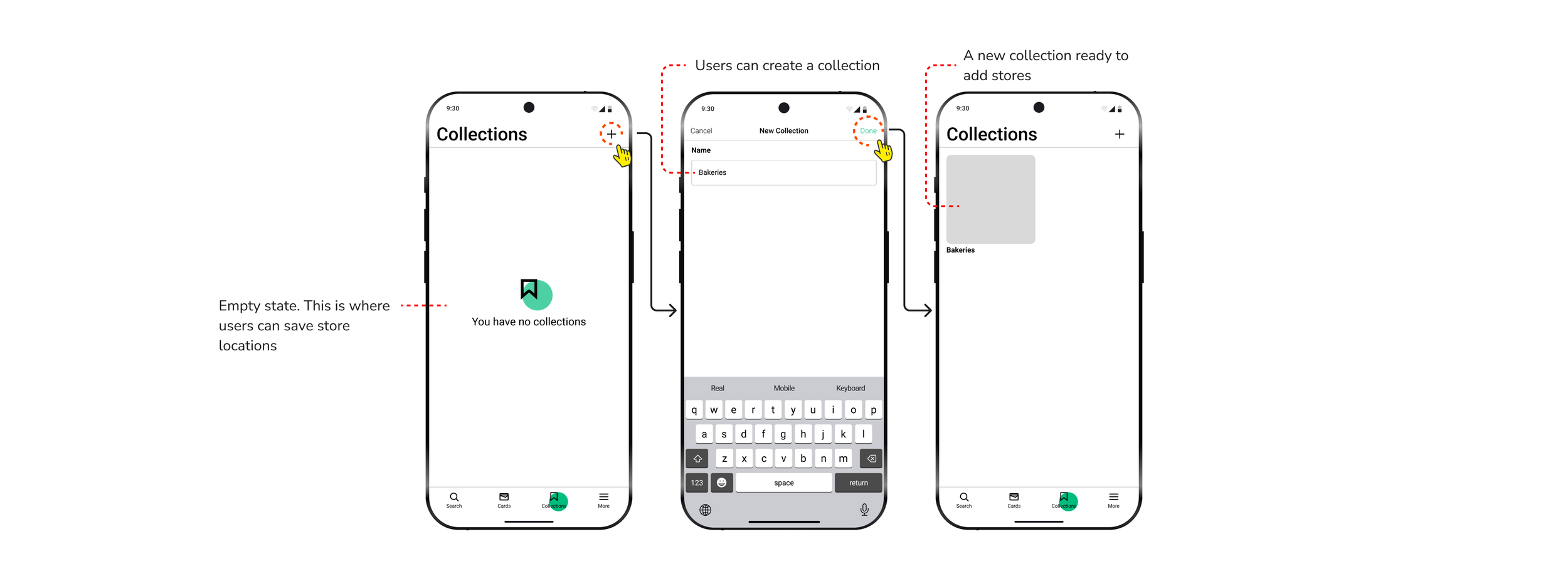
Creating Collections - User Side
Users can save stores that they discovered by organizing them in collections page that they will name and create.
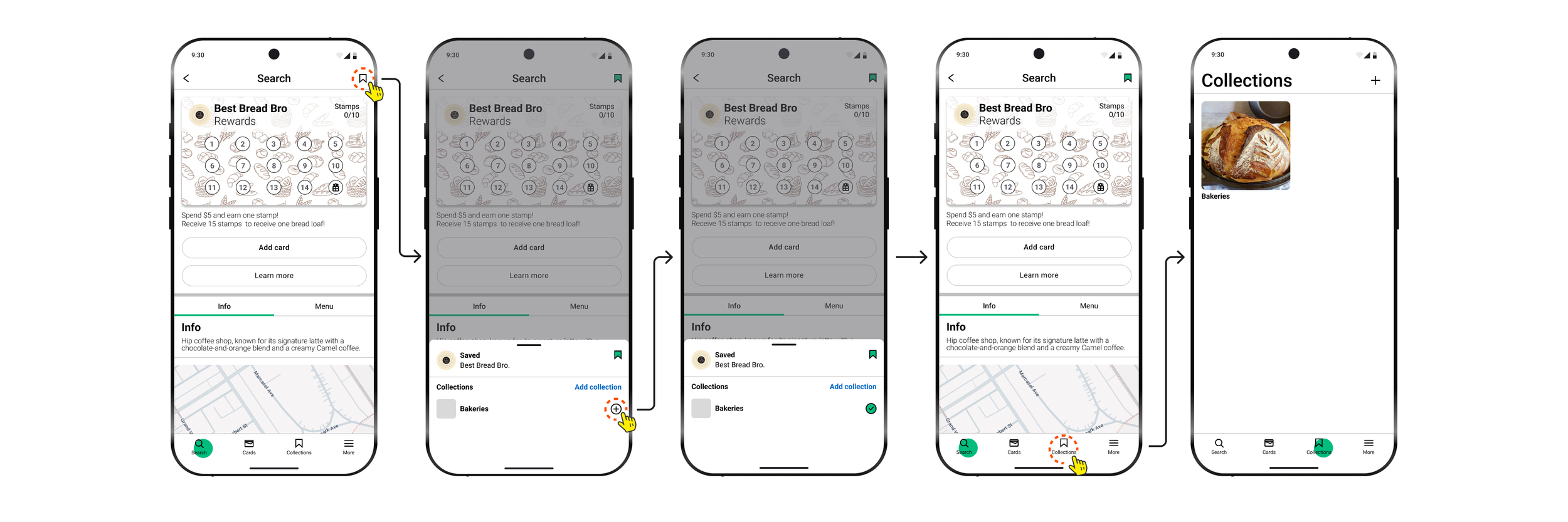
Saving Stores - User Side
After creating a collections page, users can now save stores the discovered on the app.
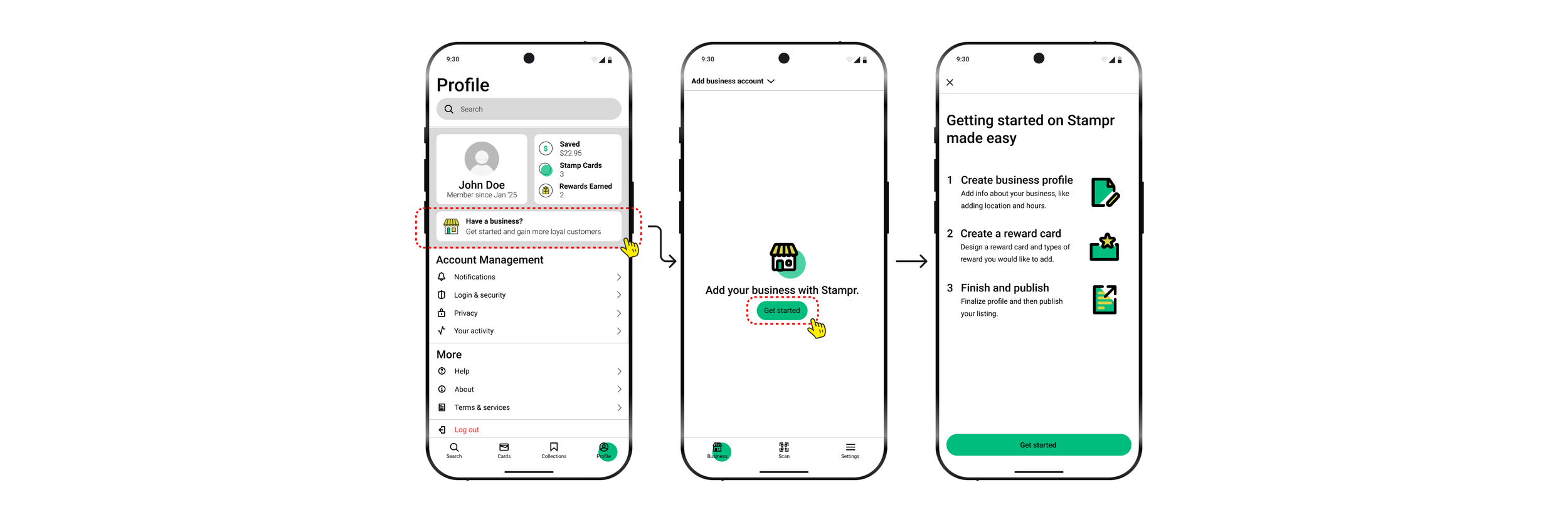
Adding Business - Business Owners
Business owners interested in adding their profile to Stampr can be done in the “Profile” section. The owners will then read a 3-step process in order to publish their store.
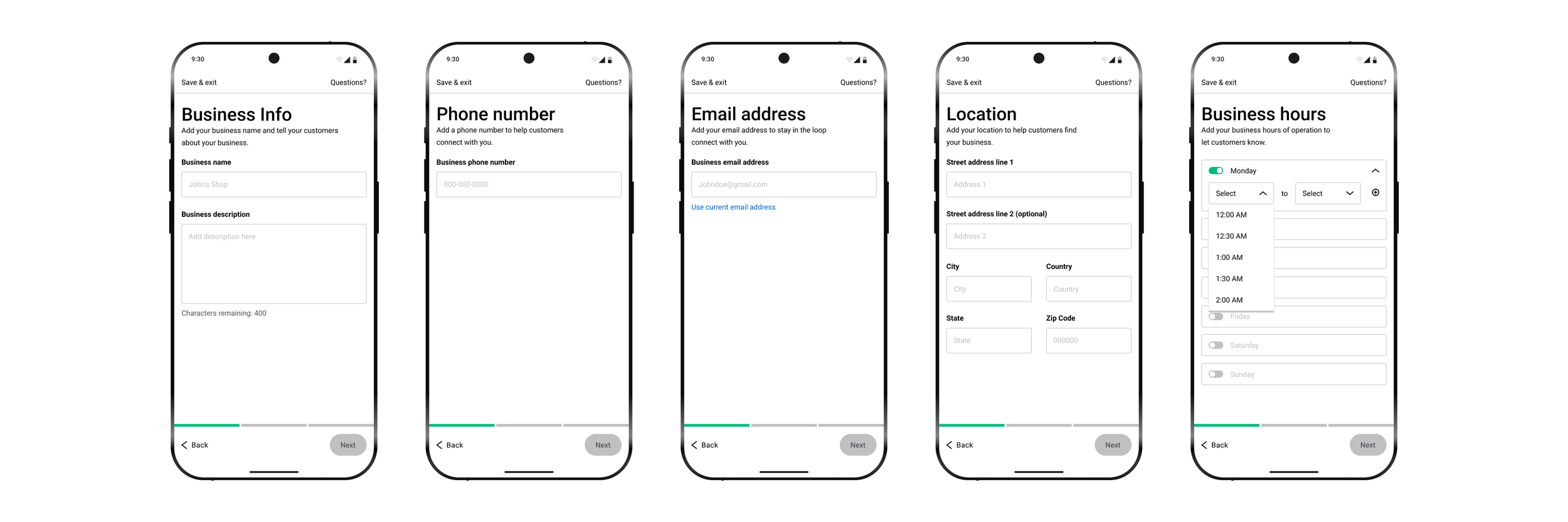
Step 1: Profile - Business Owners
In step 1, business owners will be asked to add the following: business name, info, phone number, email, location, and hours.
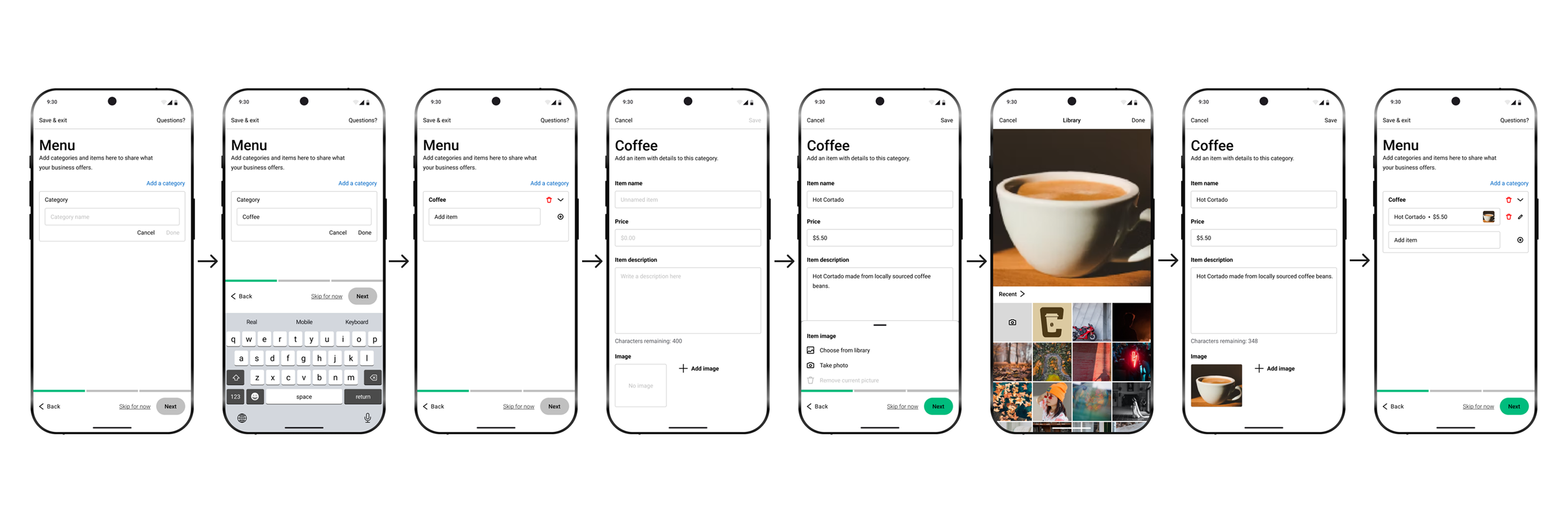
Step 2: Menu Items - Business Side
In step 2, owners can add all items on their menu here. As this step can be more time consuming, we provided the option for the owners to work on it later by clicking “skip for now.”
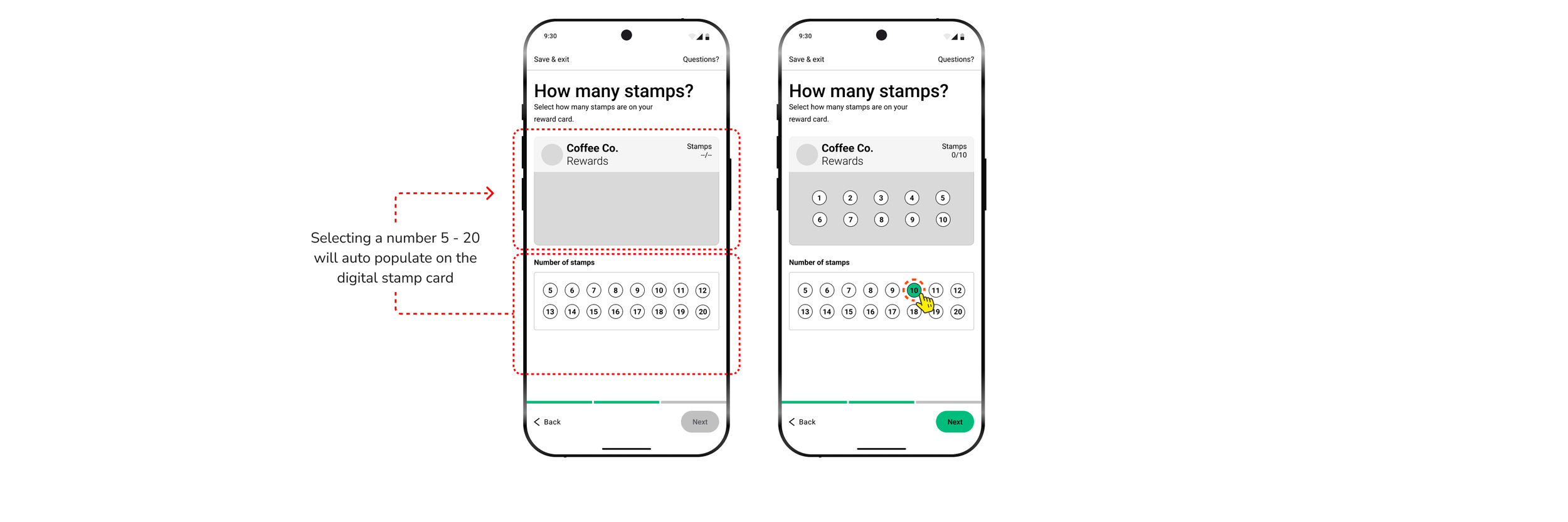
Step 2: Stamp Card Setup - Business Side
Owner can control the number of stamps they want to have on their digital stamp card.
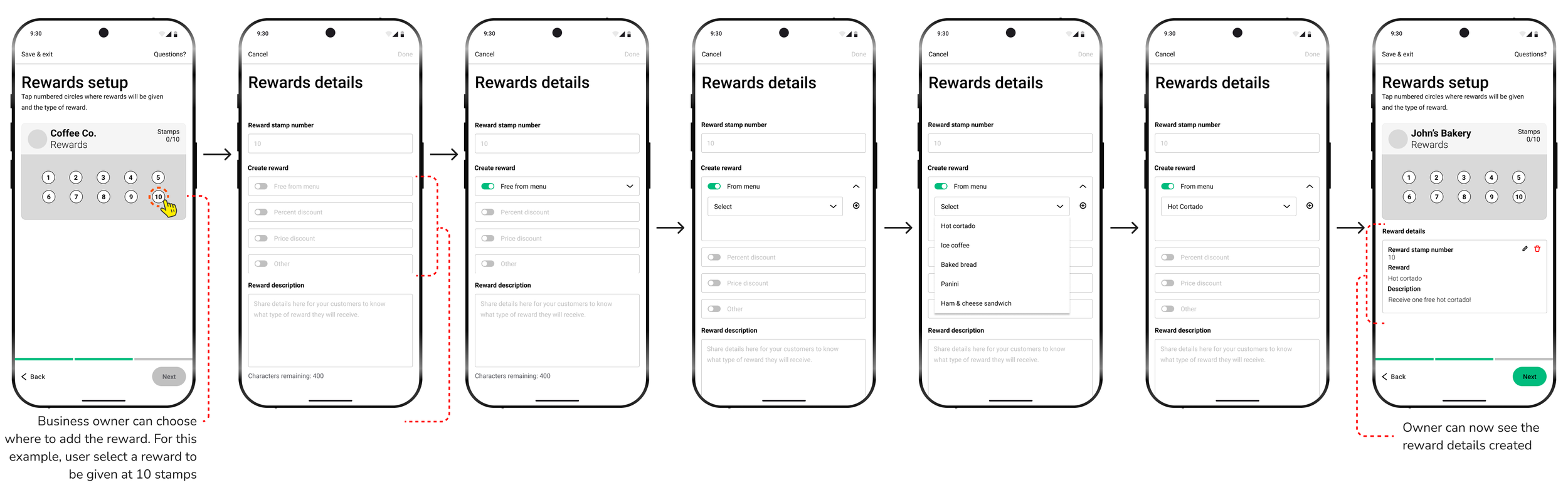
Step 2: Setting Reward - Business Side
Owner can select how many and where the rewards can be redeemed. They can also control the type of reward a user can receive.
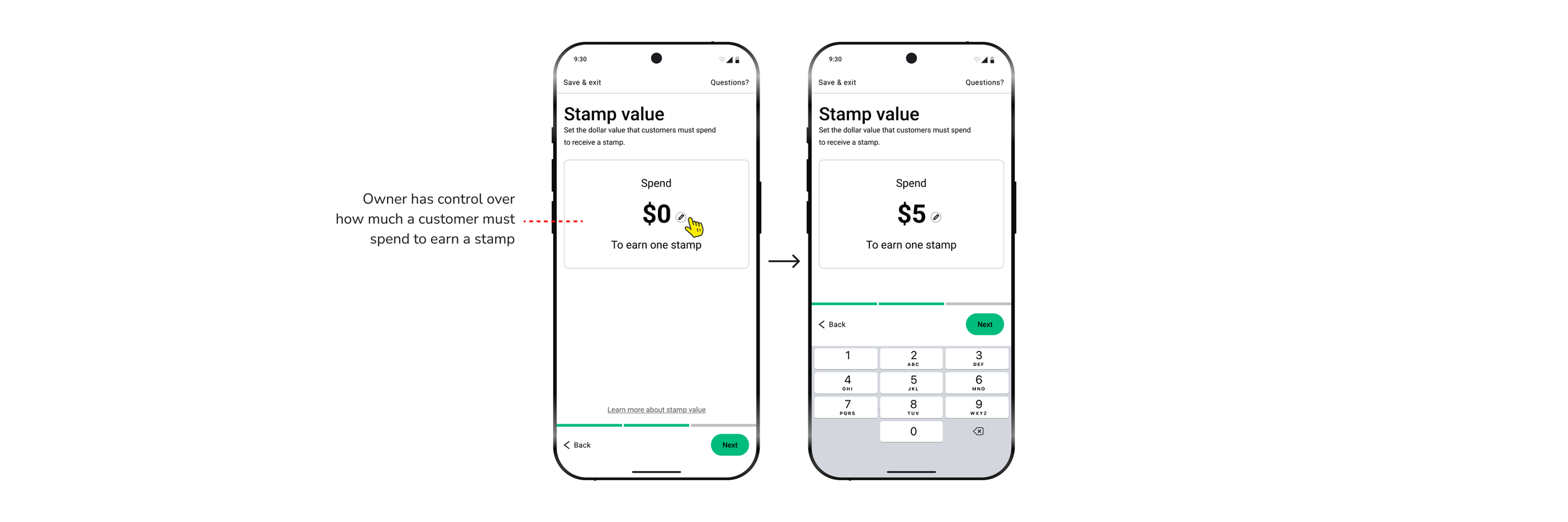
Step 2: Stamp Value - Business Side
Owner can set how much a customer must spend in order to receive a stamp.
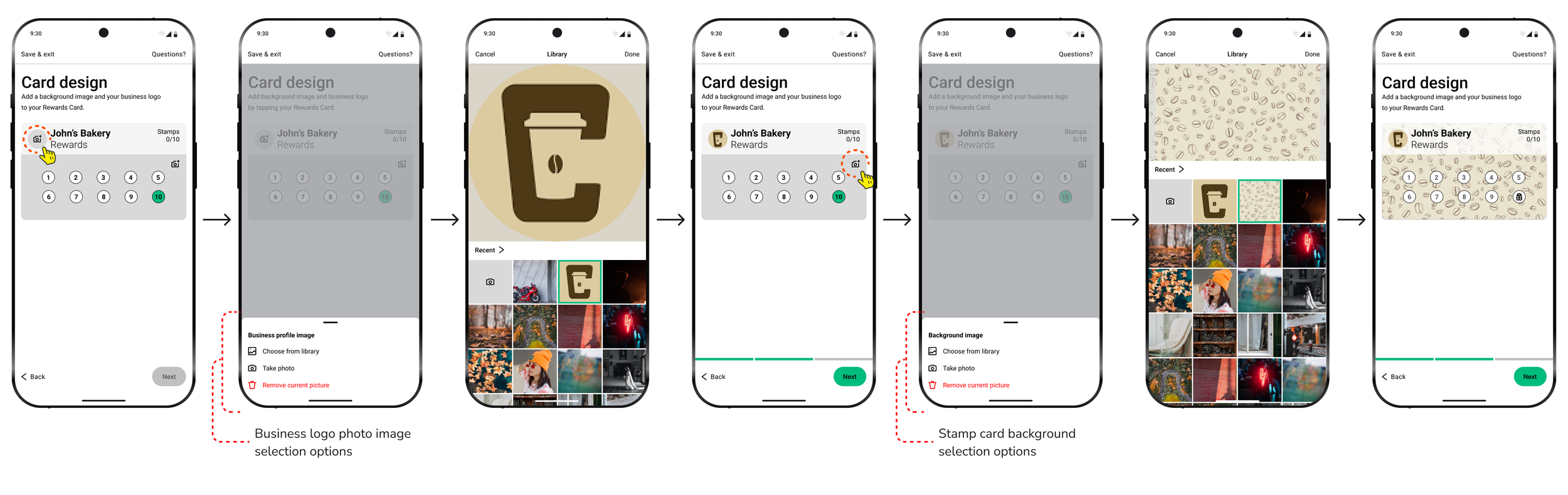
Step 2: Card Design - Business Side
Owners can customize their digital stamp card in order to align with their visual branding.
Step 3: Publish - Business Side
After completing step 1 & 2, owners can now publish their page to be viewed on the app.

In-Store QR Scan - Business Side
Owners can click on “scan” in the bottom navigation bar and it will open their camera for them to scan customers QR stamp card.

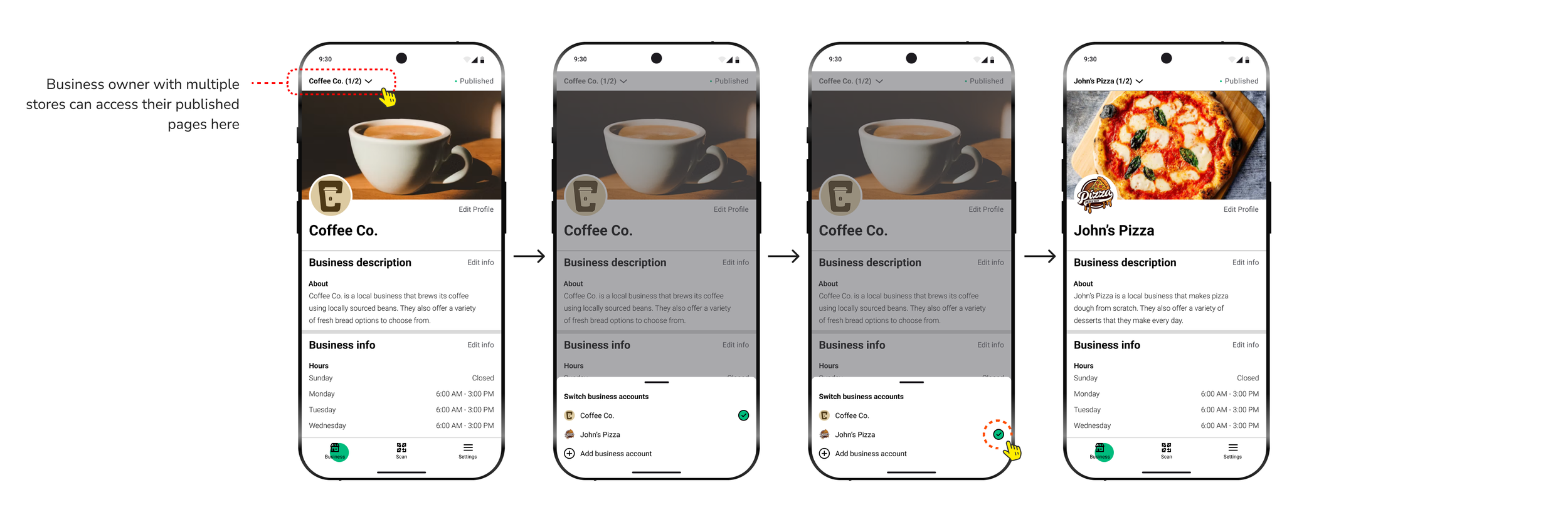
Multiple Stores - Business Side
In a situational case, an owner with multiple stores can list more than one business. They can switch store profile in their business profile section.
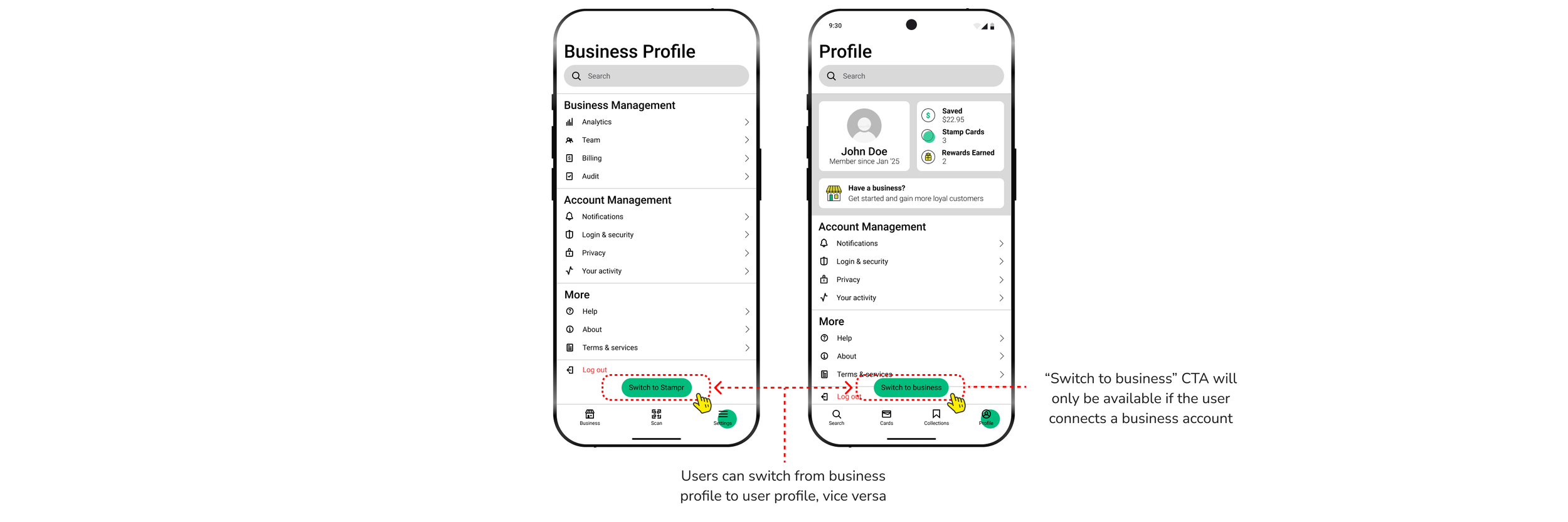
Switching Profiles
Users can switch to business profile and vice versa. User will not see “Switch to Business” CTA if they did not add a business to Stampr.
Key Takeaway
The key takeaway from this project is the importance of visual hierarchy in design. I gained a deeper understanding of how strategically prioritizing visual elements can enhance the user experience. It’s vital to stay aligned with the project’s goals while focusing on the user’s needs. By guiding users' attention in a logical flow, the design becomes more intuitive and effective, supporting both usability and project objectives.